Your caseload, schedule, and session data in one place.
Plan sessions, record data as you go, see progress on a graph, and export the documentation your district asks for. It runs in your browser and keeps data on your device.
How it works
Four steps, in the order a caseload actually runs.
- 01
Add students
Services, goals, and key IEP and evaluation dates. Goals can come from the library or be typed in.
- 02
Build the schedule
Weekly, monthly, or rotating sessions per student or group.
- 03
Run sessions
Record minutes, cues, assistance, and performance per goal while it happens.
- 04
Report
Graphs, progress summaries, and service logs, exported when a report is due.
Included free
What's in the workspace
Every feature works on one device without an account.
Caseload and calendar
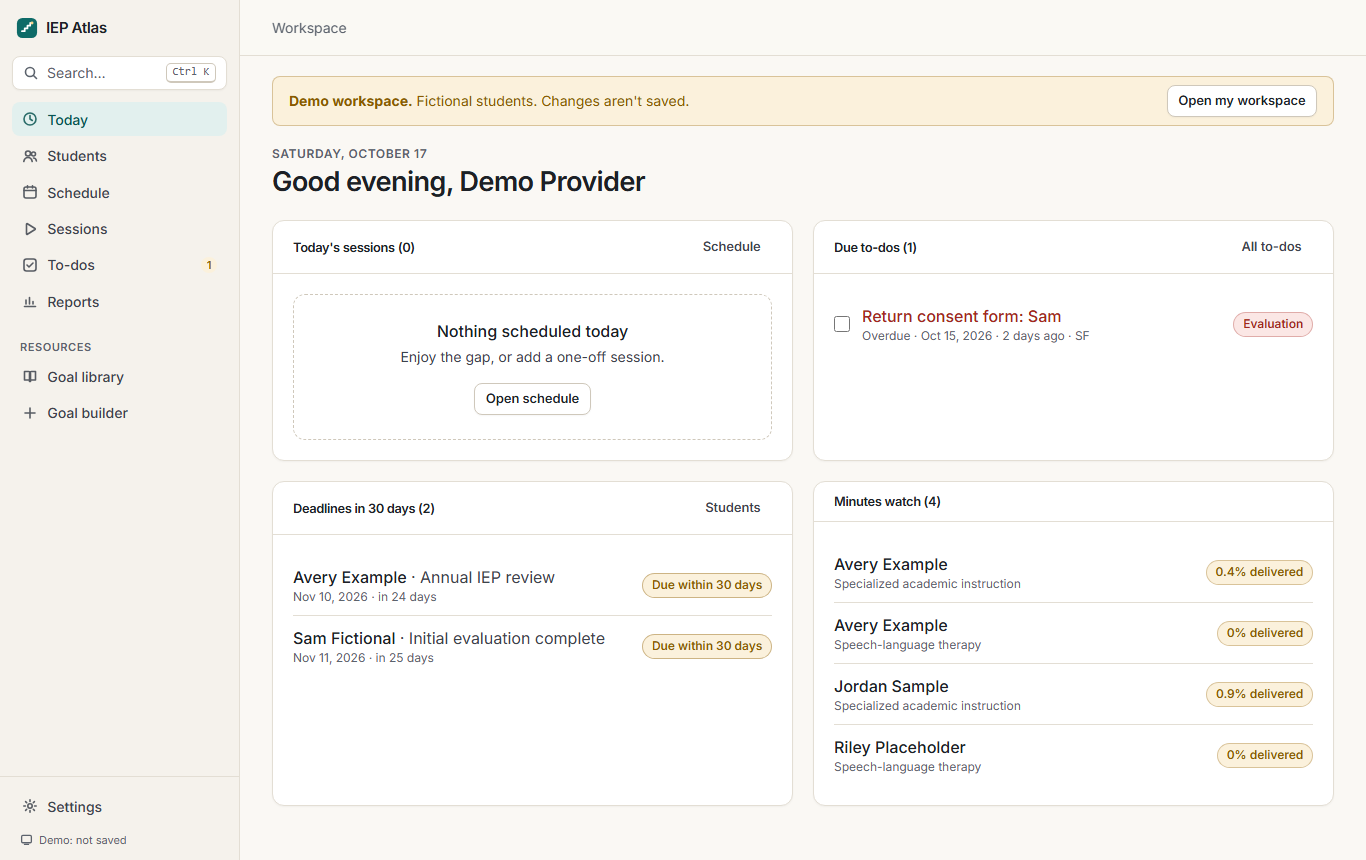
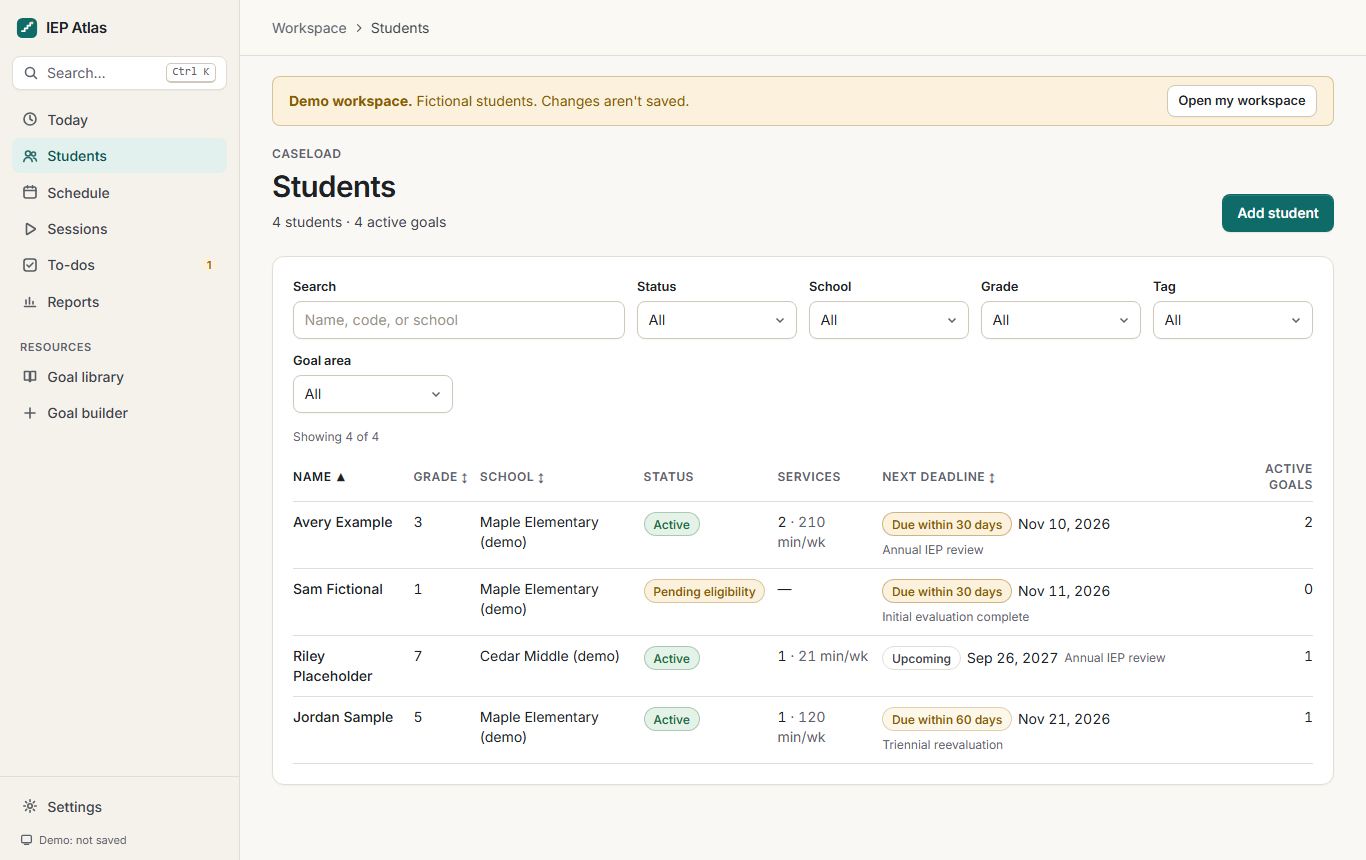
Students, services, IEP and evaluation dates, and weekly, monthly, or rotating schedules in one list. Upcoming deadlines surface on their own.
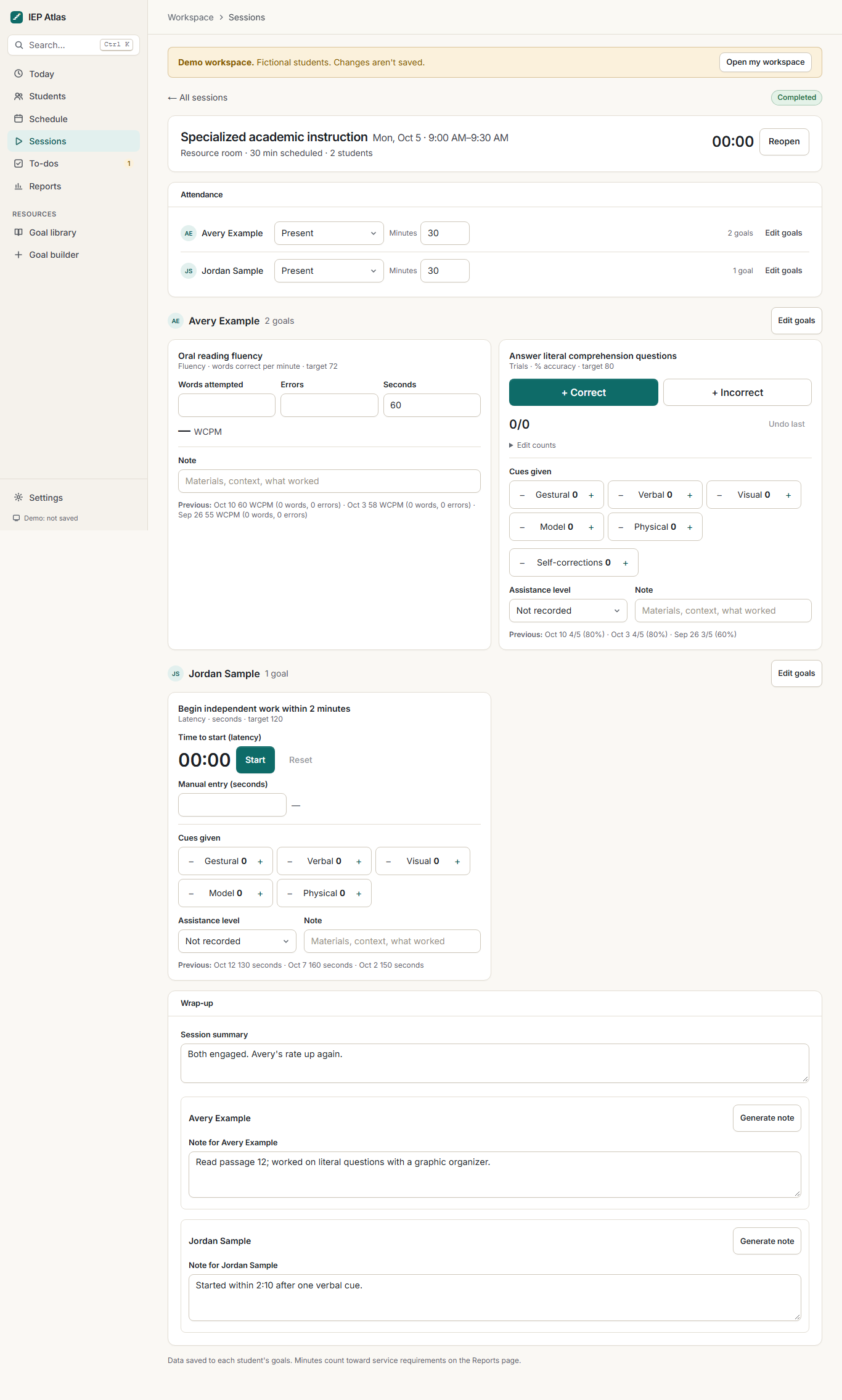
Live session data
Open a session and record minutes, cueing levels, assistance, and performance for each goal. Counters and timers are sized for use mid-lesson.
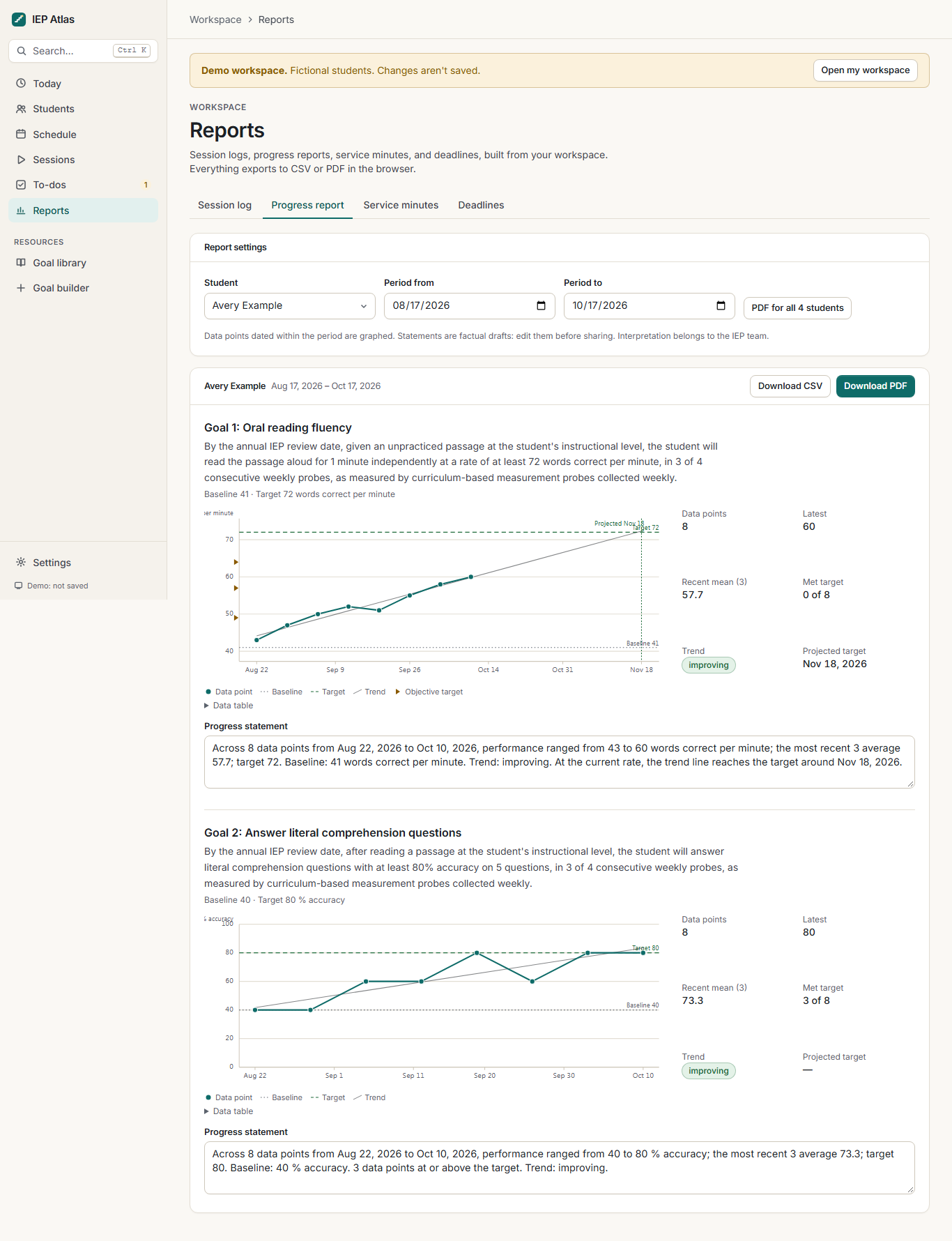
Progress graphs
Every goal plots its data against the baseline and target, with a trend line, so you can see whether progress supports the criterion.
Schedule
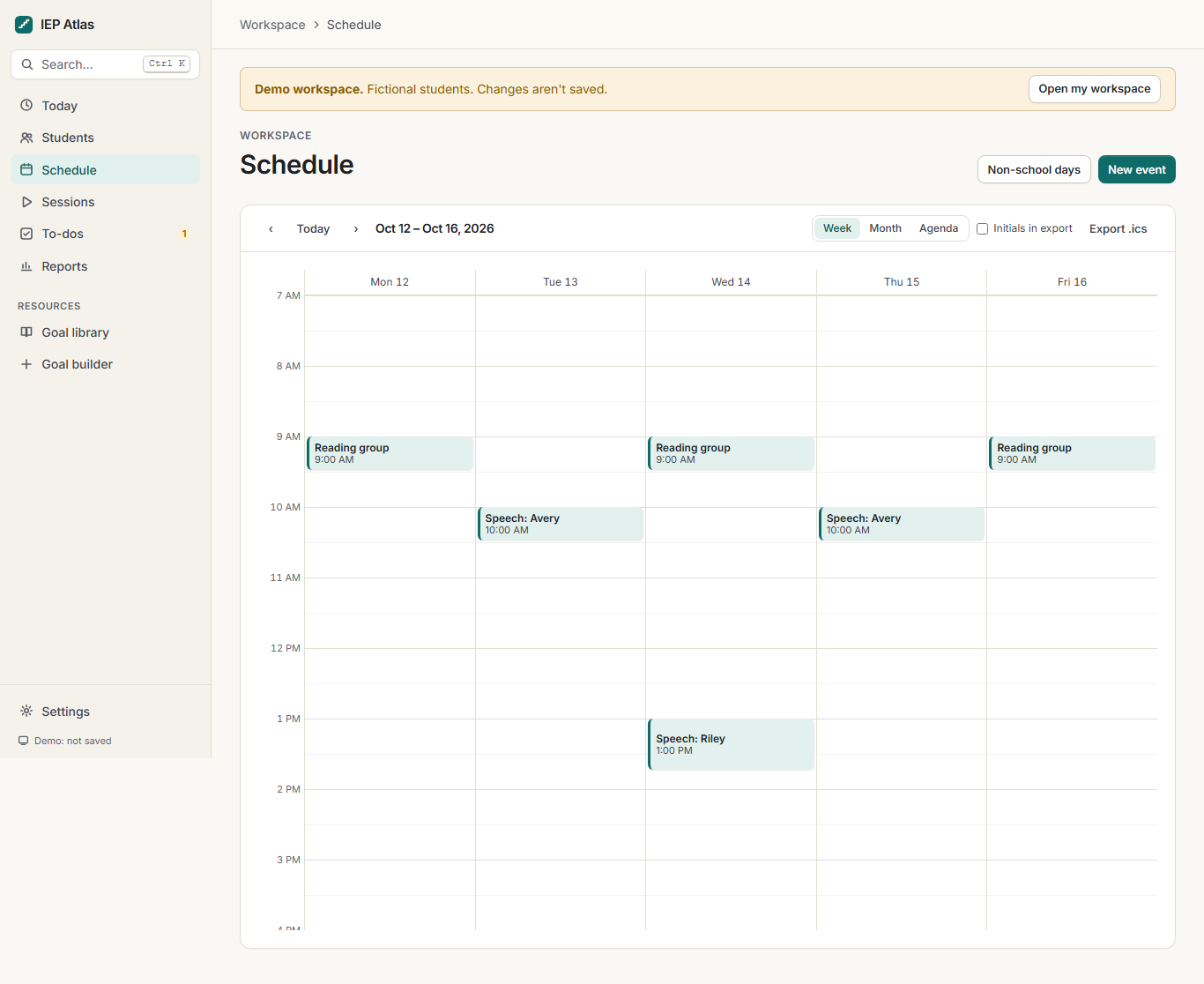
A week view of every session, including groups and rotating schedules, so missed minutes show up before the end of a reporting period.
Reports and exports
Progress summaries, service logs, and Medicaid-ready documentation as PDF or CSV.
Session notes
Notes sit next to the data you collected, per student.
To-dos
- Send progress reportFri
- Schedule annual reviewOct 28
Backups
One file holds the whole workspace.
iep-atlas-backup.json
Two modes. You decide where the data lives.
Local mode is the default and needs nothing from you. Cloud sync is a Pro option you turn on deliberately.
| Topic | Local (default, free) | Cloud sync (Pro) |
|---|---|---|
| Where data lives | In this browser, on this device. Never sent to IEP Atlas. | In our database in the United States, so it syncs across your devices. |
| Account | None. No sign-in. | IEP Atlas account with a Pro subscription. |
| Who can read it | Only this browser. | Only you. Access is enforced per account at the database level. |
| Works offline | Yes, once the page has loaded. | Yes; changes sync when you reconnect. |
| Backups | Your responsibility: download a backup file from workspace settings. | Automatic, plus the same downloadable backup file. |
| If you clear site data | The workspace is gone unless you restore a backup. | Sign in again and the workspace returns. |
| Agreements | Not needed; IEP Atlas never processes the data. | Covered by the Student Data Privacy Agreement and the privacy policy. |
| Deleting | Clear site data or reset from settings. | Delete from your account at any time; removed from active systems within 30 days. |
Cloud sync means IEP Atlas processes student education records on your behalf. Check your district's policy on third-party tools before enabling it. If your district needs a signed agreement, start with the draft privacy agreement and contact us.
Questions
Is my student data on your servers?
Not unless you turn it on. By default the workspace stores everything in your browser's storage on your device, and IEP Atlas never receives it. If you subscribe to Pro and enable cloud sync, your workspace is stored in our database so it can follow you across devices. That mode is covered by our Student Data Privacy Agreement.
What does Pro add?
Cloud sync across devices, automatic backups, saved goal collections, and priority support. Every workspace feature is available for free on a single device.
Can I export everything?
Yes. You can download a complete backup file of your workspace at any time, plus per-student PDFs and spreadsheets. If you cancel Pro, your data stays available to export, and you can delete it from our servers from your account.
Does this handle Medicaid billing?
No. The workspace produces service documentation with the fields school-based Medicaid programs commonly require, such as date, duration, service type, provider, and session notes. It does not submit claims, verify eligibility, or apply billing codes. Your district or billing agent still owns that process, and requirements vary by state.
What happens if I clear my browser or switch computers?
In local mode the data lives only in that browser, so clearing site data removes it. Download a backup regularly, and avoid using the workspace on shared computers you don't control. Pro cloud sync removes this limitation.
Can my whole team use one workspace?
Not yet. Each workspace belongs to one professional. Shared caseloads and district accounts are under consideration and would require a signed agreement with the district.
Start with the demo caseload
Invented students, real features. Nothing is saved until you open your own workspace.